 81cafafbf6
* Improves duplication (#72572) ## About The Pull Request - Improves duplication code significantly - Removes 'perfectcopy', 'newloc', 'nerf' and 'holoitem' args. These were made for holodeck items, but holodeck items do not use this proc so it's since been unused. - Adds many things to duplicate forbidden vars, such as external organs (and fixes internal organs), overlays, and signals. The signal part is what broke basic things for duplicated mobs, such as dying, huds, and lying down. - Duplicated mobs now properly carry over the identity of the old mob without losing anything in the process, and now actually work as a mob, with visible HUDs and everything. They also carry implants over now. - Duplicated mobs also now no longer cut all their contents and rebuild the entire mob, they don't carry overlays at all (so we don't have the problems that come along with it, like clothing sprites from clothes that don't exist). - As a minor detail, makes DuplicateObject use snake_case instead, and makes duplicate_forbidden_vars protected. - Removes copy_contents_to because it's unused. It was originally meant for Holodeck, but holodecks now use map templates so it's no longer used in-game. 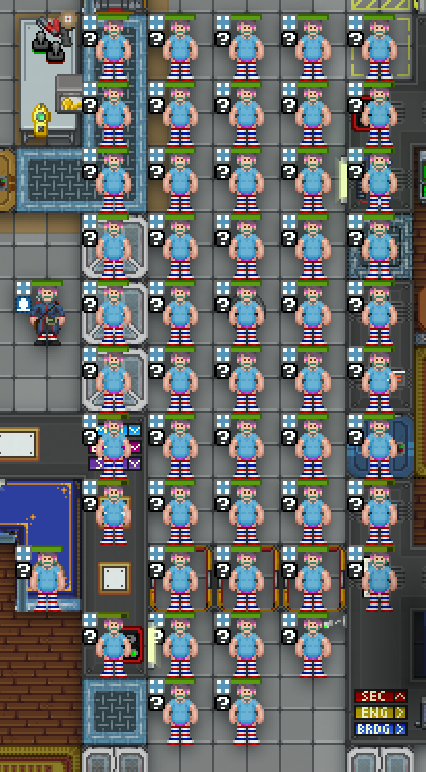 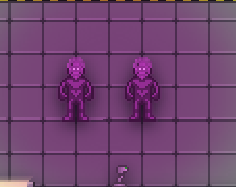 ## Why It's Good For The Game Closes https://github.com/tgstation/tgstation/issues/42212 Duplicating mobs no longer gives a broken mob, which was a common problem with cloning pods (the admin pods, that you drop down onto people). Updates very old code to modern code standards. This PR was made to help out https://github.com/tgstation/tgstation/pull/71141 too, the author of that PR is aware of this one. ## Changelog 🆑 refactor: Duplicating mobs now should now give properly functioning mobs, as duplications in general have been reworked. Admins can feel free to use the pod feature on people. /🆑 * Improves duplication Co-authored-by: John Willard <53777086+JohnFulpWillard@users.noreply.github.com>


Buildmode
Code layout
Buildmode
Manager for buildmode modes. Contains logic to manage switching between each mode, and presenting a suitable user interface.
Effects
Special graphics used by buildmode modes for user interface purposes.
Buildmode Mode
Implementer of buildmode behaviors.
Existing varieties:
-
Basic
Description:
Allows creation of simple structures consisting of floors, walls, windows, and airlocks.
Controls:
-
Left click a turf:
"Upgrades" the turf based on the following rules below:
- Space -> Tiled floor
- Simulated floor -> Regular wall
- Wall -> Reinforced wall
-
Right click a turf:
"Downgrades" the turf based on the following rules below:
- Reinforced wall -> Regular wall
- Wall -> Tiled floor
- Simulated floor -> Space
-
Right click an object:
Deletes the clicked object.
-
Alt+Left click a location:
Places an airlock at the clicked location.
-
Ctrl+Left click a location:
Places a window at the clicked location.
-
-
Advanced
Description:
Creates an instance of a configurable atom path where you click.
Controls:
-
Right click on the mode selector:
Choose a path to spawn.
-
Left click a location (requires chosen path):
Place an instance of the chosen path at the location.
-
Right click an object:
Delete the object.
-
-
Fill
Description:
Creates an instance of an atom path on every tile in a chosen region.
With a special control input, instead deletes everything within the region.
Controls:
-
Right click on the mode selector:
Choose a path to spawn.
-
Left click on a region (requires chosen path):
Fill the region with the chosen path.
-
Alt+Left click on a region:
Deletes everything within the region.
-
Right click during region selection:
Cancel region selection.
-
-
Copy
Description:
Take an existing object in the world, and place duplicates with identical attributes where you click.
May not always work nicely - "deep" variables such as lists or datums may malfunction.
Controls:
-
Right click an existing object:
Select the clicked object as a template.
-
Left click a location (Requires a selected object as template):
Place a duplicate of the template at the clicked location.
-
-
Area Edit
Description:
Modifies and creates areas.
The active area will be highlighted in yellow.
Controls:
-
Right click the mode selector:
Create a new area, and make it active.
-
Right click an existing area:
Make the clicked area active.
-
Left click a turf:
When an area is active, adds the turf to the active area.
-
-
Var Edit
Description:
Allows for setting and resetting variables of objects with a click.
If the object does not have the var, will do nothing and print a warning message.
Controls:
-
Right click the mode selector:
Choose which variable to set, and what to set it to.
-
Left click an atom:
Change the clicked atom's variables as configured.
-
Right click an atom:
Reset the targeted variable to its original value in the code.
-
-
Map Generator
Description:
Fills rectangular regions with algorithmically generated content. Right click during region selection to cancel.
See the
procedural_mappingmodule for the generators themselves.Controls:
-
Right-click on the mode selector:
Select a map generator from all the generators present in the codebase.
-
Left click two corners of an area:
Use the generator to populate the region.
-
Right click during region selection:
Cancel region selection.
-
-
Throwing
Description:
Select an object with left click, and right click to throw it towards where you clicked.
Controls:
-
Left click on a movable atom:
Select the atom for throwing.
-
Right click on a location:
Throw the selected atom towards that location.
-
-
Boom
Description:
Make explosions where you click.
Controls:
-
Right click the mode selector:
Configure the explosion size.
-
Left click a location:
Cause an explosion where you clicked.
-