 0818d6ae4c
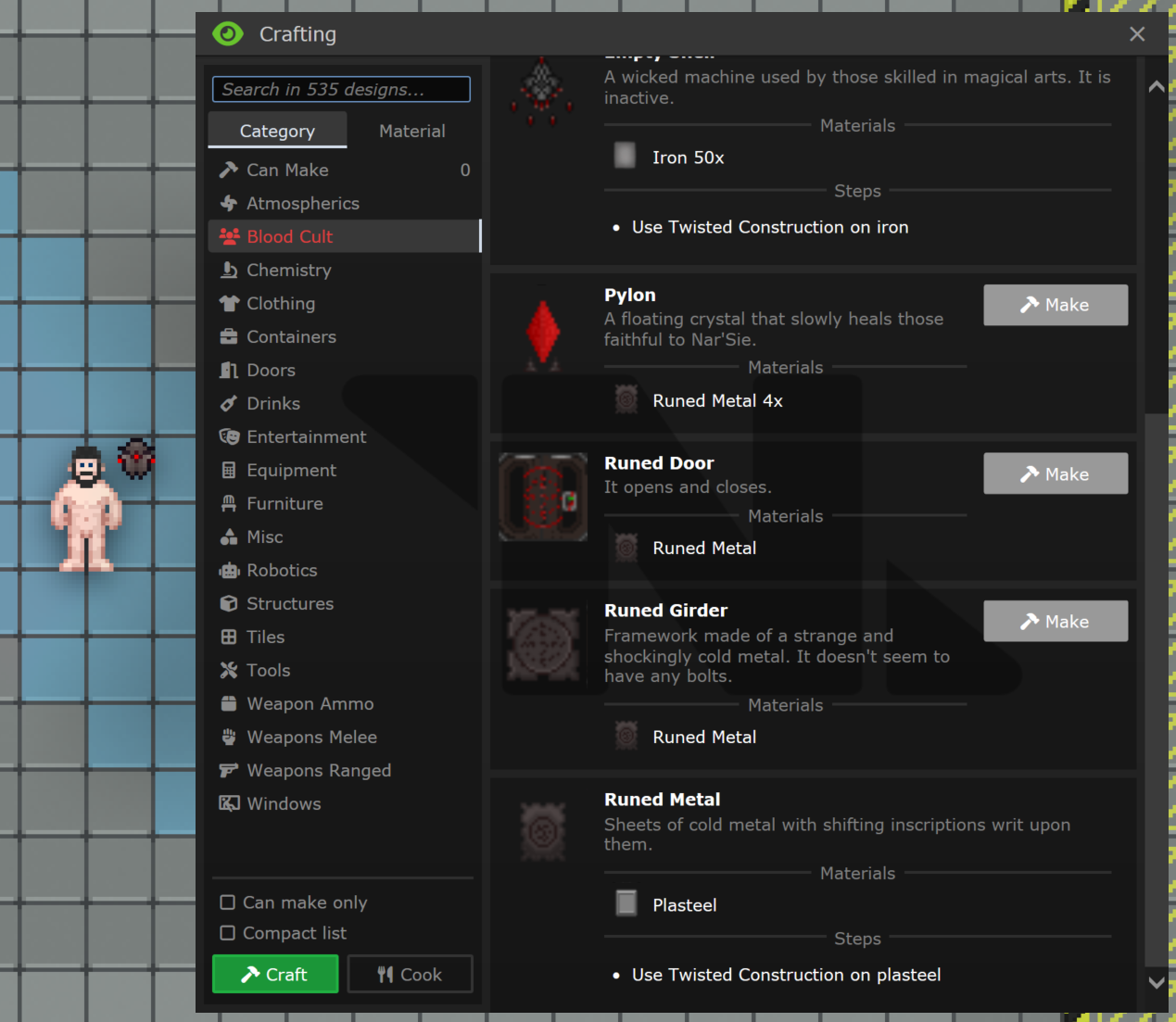
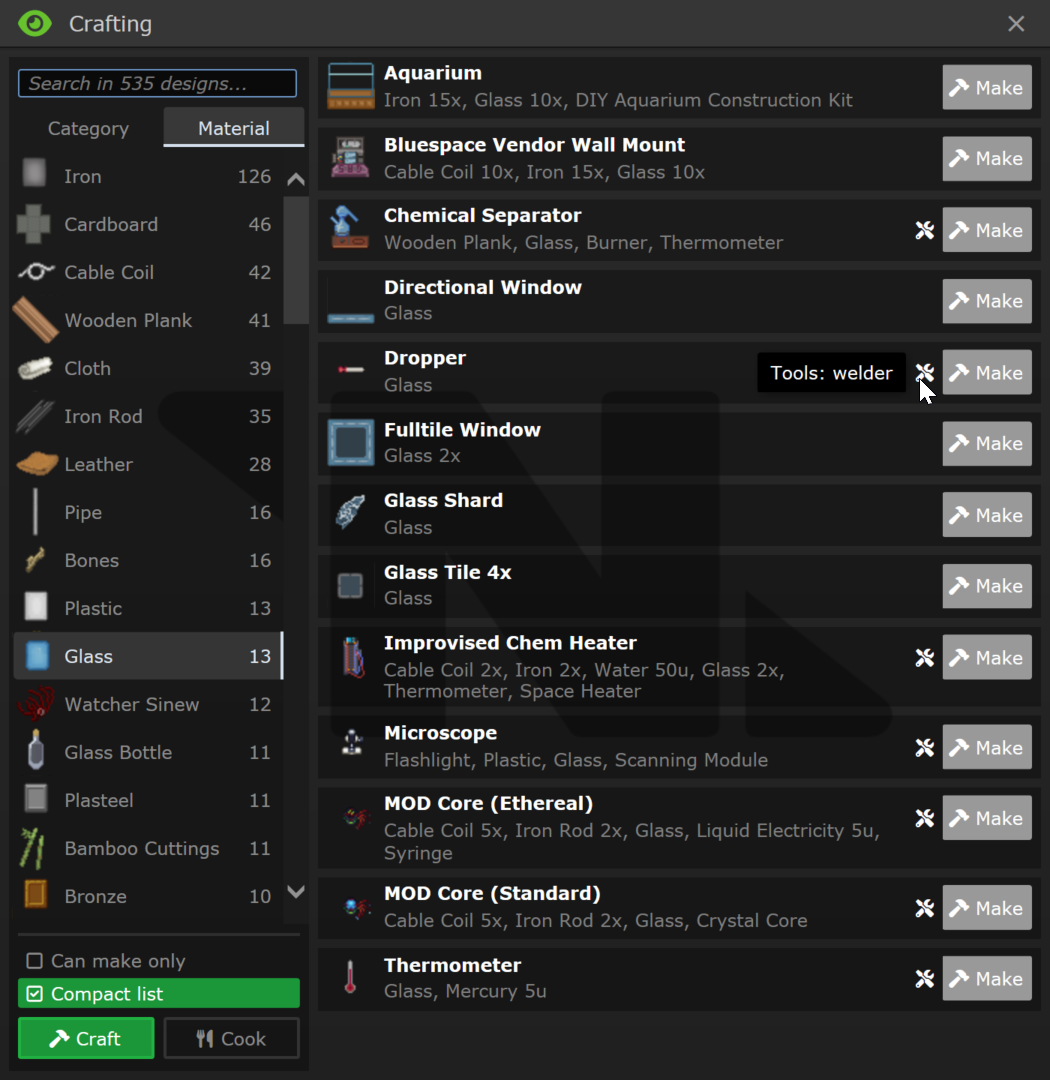
## About The Pull Request Updated crafting menu, adding a lot of new functions and recipes that were not in the crafting menu before. <img alt="cult" src="https://user-images.githubusercontent.com/3625094/206009533-aec3a1dd-cbe5-45eb-8515-1b75fabb65c5.PNG"> <img alt="nH77dLyyGx" src="https://user-images.githubusercontent.com/3625094/206009786-b6706f70-0599-40bf-b051-8f499de43abd.png"> 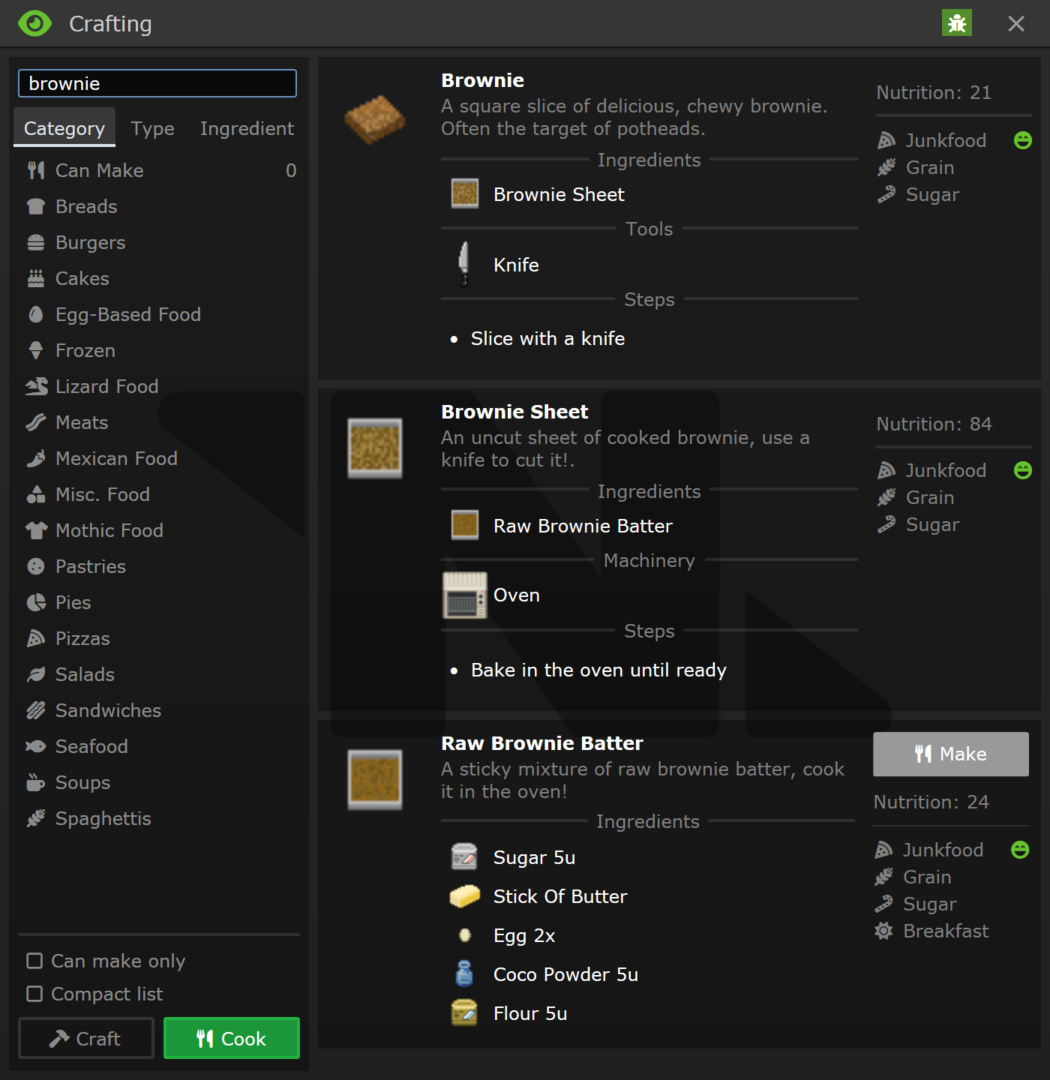 https://user-images.githubusercontent.com/3625094/206009841-738e4a03-0660-45b7-8d83-15eeb6501967.mp4 ## Why It's Good For The Game It is easier to use, and it has a lot of recipes that were spread throughout the game, some of which weren't even on the wiki. Crafting and cooking now count about 1200 recipes in total, including conditionally available ones. ## Changelog 🆑 qol: Rewrote the crafting/cooking menu UI qol: Split crafting and cooking menus in two different menus qol: Crafting is no longer blocking the entire UI, only the "Make" buttons are disabled qol: Added stack crafting recipes to the crafting menu qol: Added cooking recipes that were absent in the crafting menu before (tool recipes, machine recipes, reactions) qol: Added option to search recipes by title qol: Added option to filter recipes by required materials/ingredients qol: Added food types to the cooking menu, highlighting diet of your species (liked, disliked foods) qol: Added total nutrition value of the result to the cooking menu qol: Added option to filter cooking recipes by the food type of the resulting food qol: Added "Can make" category that lists all currently craftable recipes throughout all categories refactor: changed categories and reshuffled some items in them code: Reagents now have default container to get an icon from the reagent datum code: Objects now have `desc_controls` var for OOC information about mouse controls that are visible on examine, but not in the description fix: Fixed alignment on many food icons fix: Fixed missing icon for beef stroganoff /🆑 Co-authored-by: tattle <66640614+dragomagol@users.noreply.github.com>

Asset cache system
Framework for managing browser assets (javascript,css,images,etc)
This manages getting the asset to the client without doing unneeded re-sends, as well as utilizing any configured cdns.
There are two frameworks for using this system:
Asset datum:
Make a datum in asset_list_items.dm with your browser assets for your thing.
Checkout asset_list.dm for the helper subclasses
The simple subclass will most likely be of use for most cases.
Call get_asset_datum() with the type of the datum you created to get your asset cache datum
Call .send(client|usr) on that datum to send the asset to the client. Depending on the asset transport this may or may not block.
Call .get_url_mappings() to get an associated list with the urls your assets can be found at.
Manual backend:
See the documentation for /datum/asset_transport for the backend api the asset datums utilize.
The global variable SSassets.transport contains the currently configured transport.
Notes:
Because byond browse() calls use non-blocking queues, if your code uses output() (which bypasses all of these queues) to invoke javascript functions you will need to first have the javascript announce to the server it has loaded before trying to invoke js functions.
To make your code work with any CDNs configured by the server, you must make sure assets are referenced from the url returned by get_url_mappings() or by asset_transport's get_asset_url(). (TGUI also has helpers for this.) If this can not be easily done, you can bypass the cdn using legacy assets, see the simple asset datum for details.
CSS files that use url() can be made to use the CDN without needing to rewrite all url() calls in code by using the namespaced helper datum. See the documentation for /datum/asset/simple/namespaced for details.