 e20acc3aaf
* Build your own atmos chambers (#72019) ## About The Pull Request https://user-images.githubusercontent.com/110812394/208232089-a183fb95-9326-4514-986a-a2b1e21be40c.mp4 **Notes** - You can print atmos control circuit boards at the circuit printer after research - You can only build one sensor for each gas type for in the whole map. This is because each sensor is assigned a unique chamber id from a fixed set of constants. Once all those values are used up there will be duplicates so yeah only sensor per gas type for that round - Un wrenching or destroying the injector/vent will automatically disconnect them from the sensor. I forgot to show that in the video - Destroying the sensor via right click with RPD will also automatically disconnect everything. It should be obvious but i made it even more obvious now ## Why It's Good For The Game From #71232 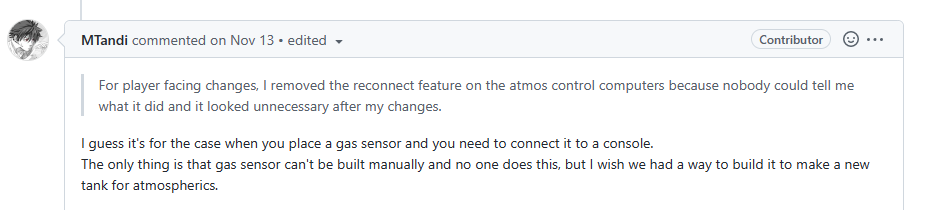 That and also i heard somewhere in the forum that this was highly requested ## Changelog 🆑 add: Gas sensors recipe to RPD code: linking all the stuff via multitool qol: make your own tank instead of moving around canisters /🆑 Co-authored-by: Mothblocks <35135081+Mothblocks@ users.noreply.github.com> * Build your own atmos chambers Co-authored-by: SyncIt21 <110812394+SyncIt21@users.noreply.github.com> Co-authored-by: Mothblocks <35135081+Mothblocks@ users.noreply.github.com>

Asset cache system
Framework for managing browser assets (javascript,css,images,etc)
This manages getting the asset to the client without doing unneeded re-sends, as well as utilizing any configured cdns.
There are two frameworks for using this system:
Asset datum:
Make a datum in asset_list_items.dm with your browser assets for your thing.
Checkout asset_list.dm for the helper subclasses
The simple subclass will most likely be of use for most cases.
Call get_asset_datum() with the type of the datum you created to get your asset cache datum
Call .send(client|usr) on that datum to send the asset to the client. Depending on the asset transport this may or may not block.
Call .get_url_mappings() to get an associated list with the urls your assets can be found at.
Manual backend:
See the documentation for /datum/asset_transport for the backend api the asset datums utilize.
The global variable SSassets.transport contains the currently configured transport.
Notes:
Because byond browse() calls use non-blocking queues, if your code uses output() (which bypasses all of these queues) to invoke javascript functions you will need to first have the javascript announce to the server it has loaded before trying to invoke js functions.
To make your code work with any CDNs configured by the server, you must make sure assets are referenced from the url returned by get_url_mappings() or by asset_transport's get_asset_url(). (TGUI also has helpers for this.) If this can not be easily done, you can bypass the cdn using legacy assets, see the simple asset datum for details.
CSS files that use url() can be made to use the CDN without needing to rewrite all url() calls in code by using the namespaced helper datum. See the documentation for /datum/asset/simple/namespaced for details.