## About The Pull Request
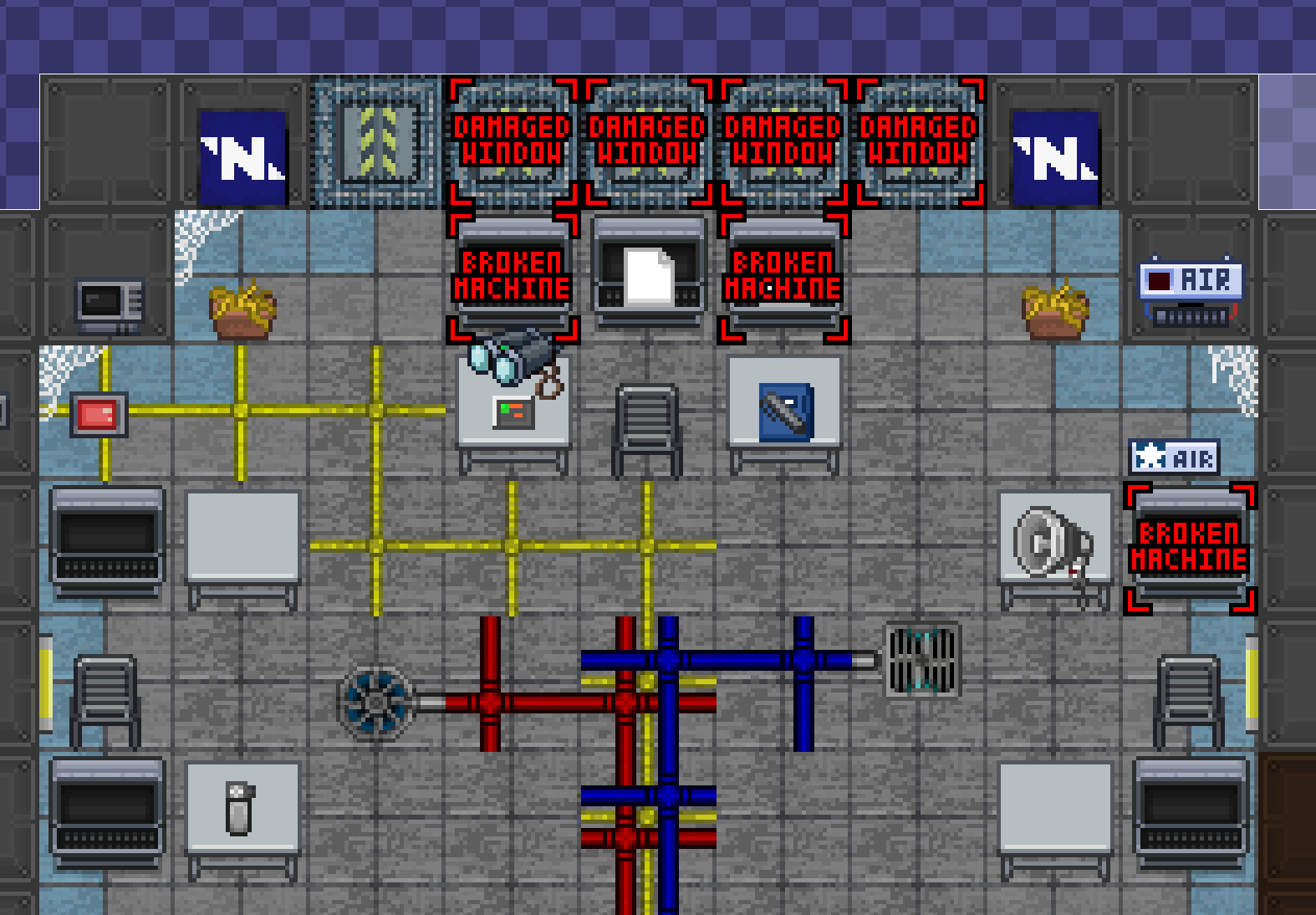
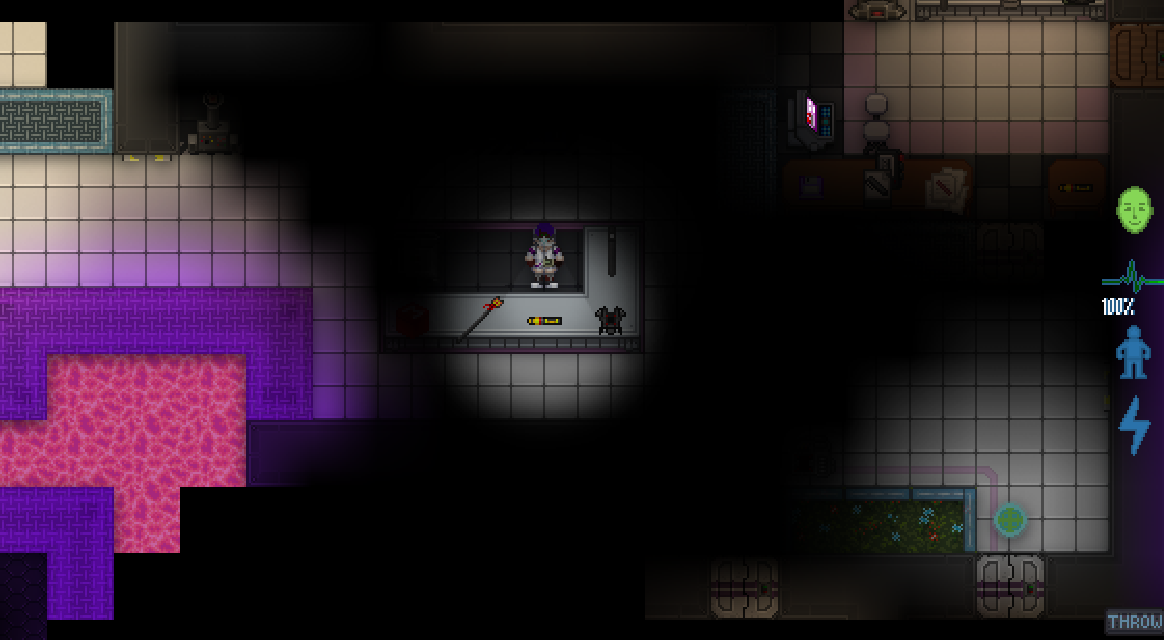
Adds interaction between immovable rod and the tram for the rare
occasions the rod hits it at the front or back while flying at a
parallel angle.
The rod will push/pull the tram in the direction it's flying until a
short distance past the tram's usual landmark, eventually winning and
carrying on.
- Only applies to random rods, if the rod has a target it will ignore
the tram as usual.
- Looping rod only pushes the tram once.
- As long as the tram has power, can be returned to the rails as usual
by calling it.
## Why It's Good For The Game
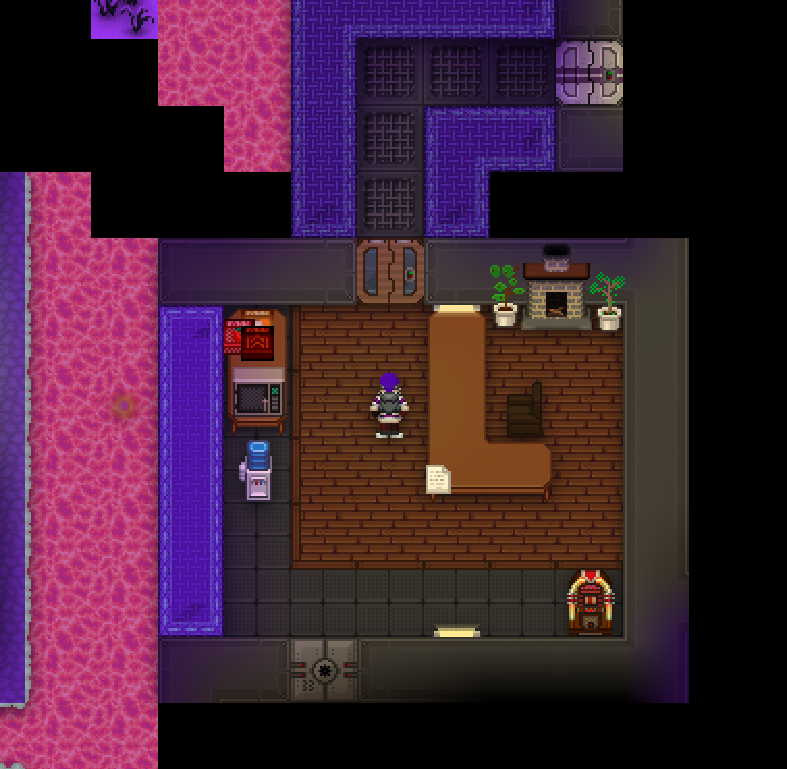
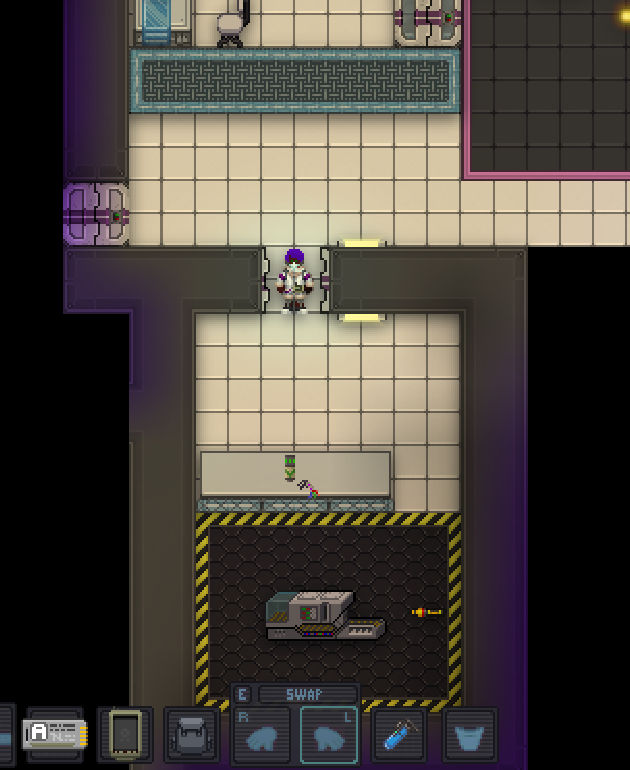
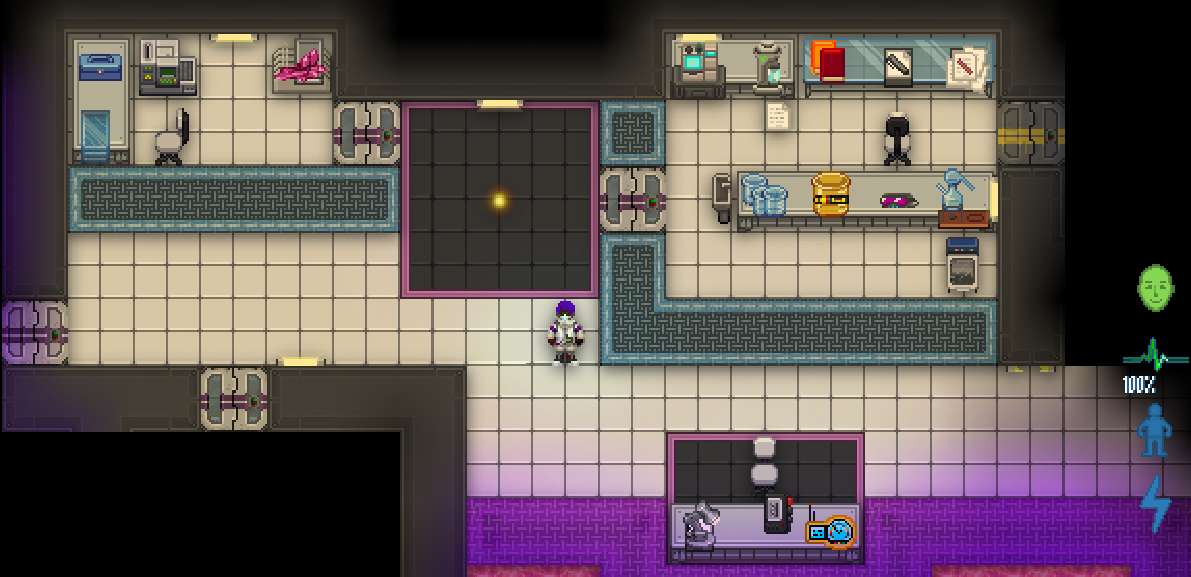
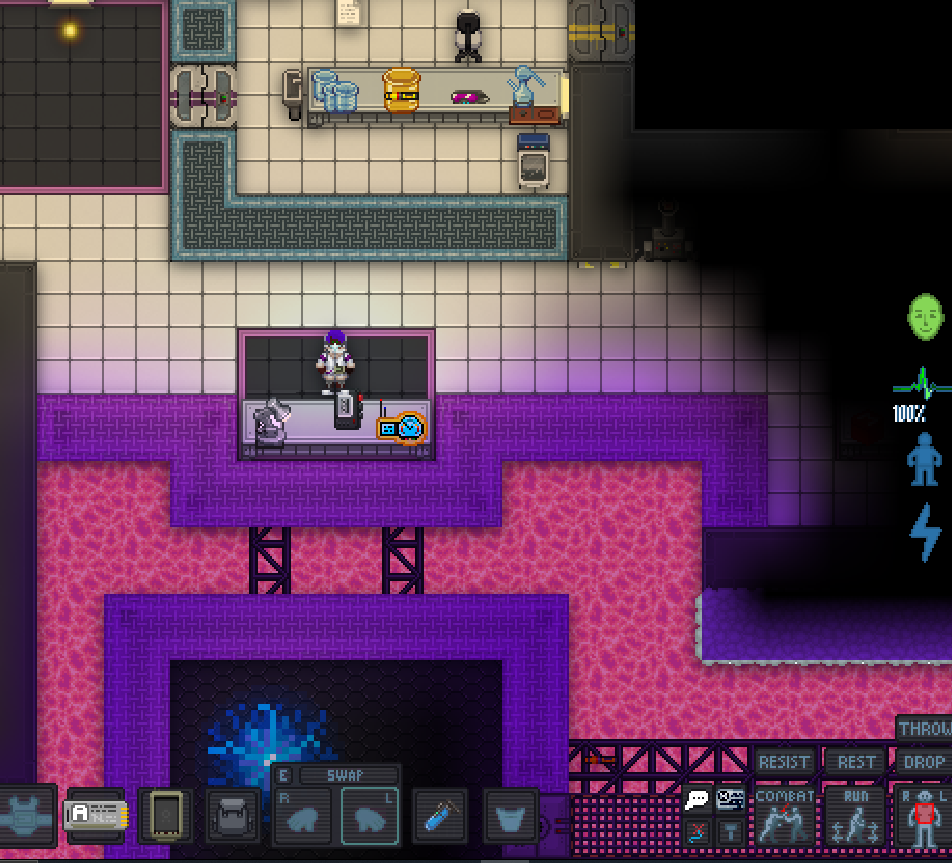
When the HoP is having a really unlucky day.
https://github.com/tgstation/tgstation/assets/83487515/2f0393cd-f796-4b00-8674-d97e57358543https://github.com/tgstation/tgstation/assets/83487515/f74c8497-8d62-4fcf-80a0-da7259160b7f
## Changelog
🆑 LT3
add: Immovable rod will now battle the unstoppable tram should they
cross paths
fix: Birdshot's maint tram doors now work properly
fix: Tramstation's exterior light fixtures no longer get destroyed as
soon as the tram moves
code: Tram landmarks are now all subtyped instead of map varedits
/🆑
## About The Pull Request

I was bored, so did this. Probably one of the neatest refactors I've
done, sorry if there's some oddities because I was experimenting with
some other stuff in this so just tell me to clean them up whenever I
can.

Anyways, morphs are basic mobs now. We are able to easily refactor the
whole "eat items and corpses" stuff in the basic mob framework, but the
whole "morph into objects and people" turned out to be a bit trickier.
That was easily rectified with a datum mob cooldown action and
copy-pasting the old code into that code, as well as doing some nice
stuff with traits and signals to ensure the one-way communication from
the action to the mob.

Old Morph AI didn't seem to be existant whatsoever, they inappropriately
leveraged some old procs and I have no idea how to make it work with new
AI. They DEFINITELY don't spawn outside of admin interference/ the event
anymore, and will always be controlled by a player, so this shouldn't be
too bad of an issue. I gave them something to seem alive just in case
though, but I think adding legitimate prop-hunt AI would be such a
laborious task that I am unwilling to do it in this PR.
## Why It's Good For The Game

If admins want to add the ability for Ian to assume the form of the HoP,
they can do that now! The datum action cooldown is quite nice for simple
and basic mobs... but it is currently not compatible with carbons. That
is not within scope for this PR, but I am dwelling on ways to extend it
to carbon but they all sound really awfully bad.

Also morphs are smarter, and we tick another simple animal in need of
refactoring off the list.
## Changelog
🆑
refactor: Morphs are now basic mobs with a nice new ability to help you
change forms rather than the old shift-click method, much more
intuitive.
admin: With the morph rework comes a new ability you can add to mobs,
"Assume Form". Feel free to add that to any simple or basic mob for le
funnies as Runtime turns into a pen or something.
/🆑

~~Does anyone know if there's a (sane) way to alias a cooldown action as
a keypress? I can't think of a good way to retain the old shift-click
functionality, because that does feel _kinda_ nice, but I think it can
be lived without.~~ I added it. Kinda fugly but whatever.
## About The Pull Request

Massively overhauls and standardizes the nuclear operative uplink.

### Weapon Kits

Essentially, all the main weapons of the uplink have been changed to
instead come as 'weapon kits', which are essentially cases containing a
weapon loadout to enable operatives to easily start operating on only
just one item purchase, without the fuss of worrying whether or not
operatives are getting spare ammo, or getting relevant equipment for
success. Consider this a pseudo-loadout, though without necessarily
restricting the purchasing of more weapon kits.

All kits come in three categories: Low Cost (8 TC), Medium Cost (14 TC)
and High Cost (18 TC). This is also matched by categorized ammo costs;
Basic Ammo (2 TC), Hollow Point and Armour Penetrating (4 TC),
Incendiary (3 TC) and Special (or anything that does not easily fit
these categories and does something real extra) (5 TC). Weapons that
lacked these ammos have gained these ammo types to fill the gaps.

<details>
There is may one exception to this in disruptor ammo, which is priced as
basic ammo if only because it isn't _quite_ good enough to justify
pricing at 5 tc and I can see an op wanting to use it as a basic ammo
type instead of normal .50 BMG against, say, a silicon/mech heavy
opposition. Since it cannot kill organics on its own, I'll consider this
mostly basic-adjacent
</details>
The kits have also been labelled based on potential difficulty. This
reflects possible difficulties in using the item, how conducive it is to
success for how much game knowledge needed to actually use it, and how
likely an op is to succeed using it. I don't expect ops to win using
nothing but a rocket launcher, but I think ops should get a fair shake
at trying, yeah?

The kits are as below:
#### **Low-Cost**
_Bulldog (Moderate):_ Shotgun and three magazines of standard ammo.
_Ansem (Easy/Spare):_ Pistol and three spare magazines of standard ammo.
#### **Medium Cost**
_C-20r (Easy):_ SMG and three spare magazines of standard ammo.
_Energy Sword and Shield (Very Hard):_ Energy sword and shield. (Also a
special hat)
_Revolver (Moderate):_ Revolver and three speedloaders of standard ammo.
_Rocket Launcher (Hard):_ Rocket launcher with three spare rockets.
#### **High Cost**
_L6 SAW (Moderate):_ LMG, and that's it. No spare ammo.
_M-90gl (Hard):_ Rifle, two spare magazines of standard ammo and a box
of rubber grenades.
_Sniper (Hard):_ Sniper rifle, two spare magazine of standard ammo, and
one magazine of disruptor ammo. Also suit and tie.
_CQC (Very Hard):_ Comes with a stealth implant and a bandana.
_Double-Energy Sword (Very Hard):_ Double-energy sword, syndicate soap,
antislip module, meth injector and a prisoner jumpsuit.
_**NEW** Grenadier's Kit (Hard):_ Grenadier's belt and grenade launcher
(the one that launchers chem grenades). (I replaced the shit acid
grenade with another flashbang in the belt)

Surplus SMG (Flukie difficulty) has been unchanged. It just now comes
with two rations.

Includes two new revolver ammo types: Phasic, which goes through walls
and armor, but has significantly less damage as a result (I've equalized
the revolver damage and the rifle version's damage to 30 for both). And
Heartseeker, which has homing bullets. Both are Special ammo, and are
priced at 5 TC a speedloader.

### Other Gear

The other items in the uplink have also been consolidated and
standardized in various ways.

#### Grenades

Most now cost 15 TC for three grenades of any given type (including the
full fungal tuberculous). This is pretty much identical to the previous
price, just more consistent overall and front-loaded in cost.

#### Reinforcements

All the various reinforcements now cost 35 TC and all refundable,
equalizing cost to the average across the reinforcements. This is
primarily because I feel like all these options should be weighed
equally, and not one of these options are necessarily worse or better
than the other in their current balance. They're largely inaccessible
for normal ops regardless, and typically come out when there is a
discount or war ops. I took the average value and went with it. Not much
more to say.

#### Mechs

They're just cheaper. These things still suck and they need help.
They've always needed help. A slightly less excessive value for the
mechs may help see people willing to spend the TC on them. I doubt it. I
seriously suggest not buying these still. I keep them in primarily
because they are big stompy mechs and are kind of iconic 'war ops' gear.

#### Bundles

Since I've implemented weapon kits, gun bundles are rather redundant. So
the bulldog weapon and ammo bundle, the c20-r weapon and ammo bundle and
technically the sniper bundle were removed. The sniper bundle is now the
weapon kit, obviously.

Nothing else here really. Except for one....

#### Implants

Not much changed here. I standardized the implant prices to 8 TC a pop.
This is in accordance with traitor implants, which ops also get. So
everything in this category bar a few exceptions (like macro/microbombs)
are around 8 TC. Makes sense to me, really.

Importantly, I made the Implant bundle 25 TC, and I unrandomized the
contents. Who in the right fucking mind would spend 40 TC just to get
five reviver implants is beyond me. But instead, you get one of each of
the cybernetic implants except thermal eyes (you can just buy thermals
and get the benefit of both vision types; x-ray and thermal vision, if
you want to use smokescreens a lot).

#### Base Keys

They're all now 15 TC, except the fridge which is 5 TC. It's weird
they're valued differently when they are taken mostly to do gimmicks
like xenobio and toxins in a hurry before hitting the station. So we've
standardized it.

## Hat Crate

**YES, GOOD SIR, YOU TOO CAN ORDER A HAT CRATE FROM THE SYNDICATE STORE
FOR ONLY 5 TC!**

**NO NEED FOR A KEY, JUST BUY IT AND PULL IT OPEN WITH YOUR STANDARD
ISSUE CROWBAR!**

**ENJOY YOUR NEW CRATE! ENJOY YOUR NEW HAT!**

**PUT IT ON USING THE FREE HAT STABILIZERS WE INCLUDED WITH THE HATS!**

~~**NO REFUNDS IF YOU GET BLOOD ON YOUR HAT!**~~

<details>
There is a 1% chance to instagib people with direct hits from a rocket.
This does the crit effect.
</details>

## Why It's Good For The Game

The uplink needed more spring cleaning and standardization.

With this, I've partially implemented my older idea for ammo consistency
and initial allowance for nukies. Ammo is kind of over-priced and often
where a good chunk of TC goes towards without really pushing nukies
towards meaningful success. And it is often what is tripping up new
players who didn't think to get any. Now, when they get a gun, they get
ammo in their case. On top of this, the weapon kit category is both at
the top of the uplink AND has a little label to say 'Recommend', so that
these new players will hopefully know they should be looking there
first.

In addition, it is the gateway towards a concept that is currently being
worked on. Nuclear operatives having some degree of predefined loadouts
for players to select if they aren't sure what they want, or don't know
what to get. Nukies is very confusing for many players. So giving them a
fighting chance with some premade setups can help ease them into the
role without needing too much player knowledge in how to apply the
items. This is only one step towards that, so that players can identify
what gear they need to help succeed based on their skill.

I wanted to implement a difficulty warning so that players can choose
gear loadouts that are actually conducive to their skill and knowledge.
I based it on how much players would need to know to engage in combat
with it, and how much fiddling is required to get something to work
properly (overly involved reloading is a consideration, for example, as
well as precise button presses). In addition, how much of a force
multiplier some weapons can be for their ease of use.

Most people recognize the c20-r as the most new player friendly weapon,
as an example. So it would be good to steer players towards taking that
gun because of how easy it is to use, understand and succeed with it.

And most importantly of all; Having standards within the uplink is
important. Most of the values in the uplink are just completely random.
Nobody has a good grasp of what is too much or too little. Even just a
hint of consistency, and people will stick to it (see implants for what
I mean). And there is still some work to be done even there. A good
start is weapons. Price for power can be meaningful when decided whether
we want some weapons to come out more often than others. Players do
enjoy making informed decisions and choices, and having affordability be
a draw to some otherwise less powerful weapons (looking at you, Bulldog)
can actually be a worthwhile and meaningful difference.

~~I thought it would tick off the gun nerds to change the calibers on
the guns.~~

~~I also thought adding hats would be funny given the release of TF2's
most recent update.~~

## Changelog
🆑
balance: Standardizes some of the nuclear operative entries to have more
consistent pricing within their respective categories.
add: Adds some new categories so that players have an easier time
navigating the nuclear operative uplink.
balance: Many items have had prices reduced or adjusted to make them
more desirable or more consistent within their category.
add: Weapon kits have replaced almost all the individual weapons in the
uplink. You now buy these instead of the individual weapon. These often
come with spare ammo or relevant gear for success.
add: Most ammo types have been standardized in price.
refactor; Removes a lot of redundant item entry code and tidies up the
actual code part of the nuclear uplink so that it is much easier to find
things within it.
add: Added 40 new cosmetic items to the Syndicate Store. Buy them now
from the Hat Crate, only 5 TC!
code: Updated the nuclear operative uplink files.
/🆑
Listing the changes, off the top of my head:
- Resprited fishing rods, hooks, and the worm bait!
- Added a new, telescopic fishing rod, that can be bought as a goodie.
The master rod is also telescopic now.
- Added a couple hooks. One that lets you move the bait up and down,
otherwise keeping it in place, and another that stops the fish from
escaping, but slowly kills it. The former from the bepis fishing tech
node, the latter frm the black market.
- Added a fishing skill and relative legendary reward: A fishing hat,
like the one that recites "women fear me, fish fear me"
- You can now stop fishing by activating the fishing rod in your hand,
and stops it from stealing all clicks on other things if it isn't in
your active hand.
- Reworked fishing traits into fish traits, which can apply to fish
after it has been caught.
- Expanded the fish breeding system. Traits may be passed down to
offsprings, and offsprings may evolve (mutate?) into different kind of
fishes if conditions when conditions are met.
- Added half a dozen new fishes, each with its own traits: lubefish,
sludgefish (and its purple variant), slimefish, unmarine bonemass and
unmarine mastodon. Also, holodeck fish, as a joke.
- New traits: lubed skin, parthenogenesis, toxic (new reagent), toxin
immunity, predator, necrophage, no mating, crossbreeder, aggressive and
revival. Converted Emulsijack's ability and Donkfish's yuckiness into
traits as well.
- Added a fish analyzer that you can scan aquariums and fishes with.
- Fish can now be blended if you really want to. The number of reagents
from blending, w_class, and the number of fillets you get from cutting
fish now scale with size and weight.
- fish feed is no longer infinite (but it should still be plenty).
- Implemented temperature requirements for aquarium fish.
- You can now buy (dead) fish from the black market for dirt cheap.
- Last but now least, toilets are now valid fishing spots.
## About The Pull Request

Removes all of the duplicate global lists for specific machine types
where the only thing they do is store all machines of that type.
Adds machine tracking to SSmachines in the form of a list for all
machines, and then an associative list for machines by their type.
Previously we have machines in multiple global lists, such as airlocks
being in GLOB.doors, GLOB.airlocks, GLOB.machines.
This makes that not a thing, and also means that iterating through
GLOB.machines looking for a specific type is no longer as expensive.
## About The Pull Request

Further continous organizing and cleaning the Icons folder. There are
still some minior nitpicks left to do, but I reached my daily sanity
expenses limit again, and the faster these get in the less issues for
both me and others later. Also cleans some mess I caused by my blindness
last PR.

## Why It's Good For The Game

Saner spriters = better sprites
## About The Pull Request

Due to a mental breakdown caused by unfathomable abomination that is
icons folder, I swore to myself to one day clean it. Today is kind of
that day. Been at it for around 6, you gotta understand I need a rest. I
tracked most changes in descriptions of commits if you are looking for
details.

## Why It's Good For The Game

Saner spriters make better sprites. And also, just helps keep track of
things.

## Changelog

🆑
image: added sprites for different variants of scrolls.
image: modified couple posters with ghost pixels.
/🆑

---------

Co-authored-by: OrionTheFox <76465278+OrionTheFox@users.noreply.github.com>
## About The Pull Request
This adds a new element for movables that grants turfs they're in
traits, changes lava and the chasm component to check for traits
instead, ditto for turf slowdown. It also implements another trait that
prevents wet floor from slipping people, as well as some other changes
(feel free to opine on them really):
- Tables and conveyor belts now stop turf slowdown, much like catwalks,
as I imagine people walking on them are not really touching the floor.
(I'd include protection against lava too... until they melt, but that'd
mean finding a way to have these objects burn in the first place, and
lava code is still stupid despite a years old refactor I did)
- Tables also stop slippery turfs from slipping (bananas, soaps etc.
still apply). I wish there were a way to make some objects slippery by
coating them in water vapor or splashing water/lube, but that's outside
the scope of this PR.
- Fixed an edge case in which a mob standing on a lava turf would be
left permanently visually on fire if the lava is changed to another kind
of turf.
- Removed unused code from stone tiles.

I'm going to include these traits in that global list for admin-added
traits... tomorrow perhaps. 💤

## Why It's Good For The Game
Replacing some hard-coded mechanics with easier to use traits and an
element, which I also need for the submerge element PR.

## Changelog

🆑
refactor: Replaced hardcoded "safeties" for lava, chasms and ignoring
turf slowdowns on catwalks with traits.
balance: much like catwalks, tables and conveyors also disable turf
slowdowns.
balance: slippery turfs won't slip you when walking on a table.
fix: Fixed an edge case in which a mob standing on a lava turf would be
left visually but permanently on fire if the lava is changed to another
kind of turf.
/🆑
## About The Pull Request

Seeing this pattern repeated over various sections of code was starting
to piss me off
## Why It's Good For The Game
Lessens chance to cause errors with mind traits, ensures consistent
behavior, makes it easier to change how mind traits work if necessary.
## Changelog
hopefully not player facing
---------
Co-authored-by: san7890 <the@san7890.com>
This PR introduces a whole bunch of Coroner and Morbid related content.

Firstly, Morbid is now a mind trait, and specifically, coroners start
with it.

Coroners also have a liver trait that allows them to heal toxins (very
slowly) from eating pickles and drinking pickle juice. They also
can...drink formaldehyde. I guess. Dissections is thirsty work.

Coroners gain a whole set of special tools specifically for use in any
surgeries marked as interests of the Morbid. This is determined by the
``surgery_flag`` called ``SURGERY_MORBID_CURIOSITY``. Currently, these
surgeries are included;

dissections, autospies, revival surgery, plastic surgery, organ/feature
manipulations, amputations

To fit the theme, TRAIT_MORBID also applies the reduction to eye
snatchers.

While using their special tools, and the surgery is a morbid curiosity,
the coroner/anyone who is morbid gains a 30% speed boost! This stacks
with the dissection speed boost. Otherwise, the tools are just regular
tools with a special name (though the scalpel is better at killing
undead, because, you know, you're watching over the dead).

The coroner's special medkit, which is the only one you can get in a
round, can fit their autopsy scanners and tools. Anything that comes
standard with their kit can go back into it.

Anyone who is morbid can safely retrieve the secrets of the elephant
graveyard. The serrated shovel, notably, is a much better tool and
notably better at killing organics, but not inorganics (like the dead).

(Gives roboticists secure morgue access during skeleton crew pop totals)
## About The Pull Request

The hand labeler (and any other item that is capable of calling
`update_appearance` on an atom) was erasing the overlay icon when used
on a sliding puzzle piece. This just stops that from being able to
happen.

There should never be a case when the puzzle icon or overlays get
changed outside of during `set_puzzle_icon()`.

The puzzle is still able to be completed if any of the pieces get
labeled, by the way.

Fixes https://github.com/Skyrat-SS13/Skyrat-tg/issues/22065

## Why It's Good For The Game

Fixes a bug/oversight

## Changelog

🆑
fix: sliding puzzles can no longer have their icons erased by the hand
labeler
/🆑
Theres one player-facing change in this PR and it's that I removed human
gibs from being valid in space turfs, making it more consistent with the
other gib decals.

I've cleaned up many instances of decals spawning in bad turfs on
mapload in https://github.com/tgstation/tgstation/pull/75189, but making
it error anytime in-game a decal is put over an invalid turf is bad as
it punishes contributors for not optimizing their decals properly.
This changes it so it only errors if it's on mapload, unit testing or
not.

I've also removed ``turf_loc_check`` and replaced instances of it with
overwriting ``NeverShouldHaveComeHere``, which gives us greater control
of where decals can be placed.
This let me remove 2 subtypes that were made to have decals in specific
places (which then got placed elsewhere, ruining it all).

Mappers are still able to set decals to be placed anywhere, they just
need to add it as a valid turf for that decal.
adds the Vorpal Scythe, a special chaplain null rod variant, replacing
the Reaper Scythe, a not so special null rod variant.

When you choose the vorpal scythe, it comes as a shard that you implant
into your arm, similar to a cursed katana.

Once implanted, you can draw it at any time like an arm implant.
However, sheathing it again presents some problems. (Also, implanting
the organ gives you ``TRAIT_MORBID``, which I'll explain in a bit)

The Vorpal Scythe has 10 force, one of the weakest null rod variants for
force that isn't a joke null rod. However, it has exceptional armor pen
and also has 2 tiles of reach. So quite unique.

It also has a special beheading ability when you right-click someone.
This borrows some code from amputation shears, functioning pretty
similarly, except with a few additional ways to speed up the action and
restrictions. (It takes 15 seconds baseline to behead someone standing
and conscious, and speeds up or slows down based on factors such as
incapacitation and whether or not our scythe is already empowered)

When you successfully behead someone with a mind, the vorpal scythe
gains 20 force and can be safely stowed and drawn for 2 minutes.
Performing more death knells like this will reset the timer.

If it has not performed its 'death knell', or you haven't hit a living
mob, then it will cause severe damage to you if you ever try and stow it
(or its forced back into your arm). Just hitting a mob with the scythe
will sate it for 4 minutes. Unless it is a non-player monkey. Horrible
things. Just hitting mobs does not reset the timer on empowerment.

What this means is that the chaplain may be more hesitant to simply draw
their weapon on people. It also means that potentially, the chaplain
will not always have magic immunity, since they may end up stowing the
weapon away and be reluctant to draw it on a whim without either taking
damage for sheathing it without hitting something, or dealing with
having one less hand up until they can.

While empowerment only happens when you behead mobs with a mind,
beheading monkeyhumans and other mindless humans subtypes causes their
heads to become haunted! It's mostly harmless and largely just SpOoKy.
We don't want heads with actual players in them to go floating off to
space. (Does not work on monkey heads for sanity reasons)

When you have the Morbid trait, you think creepy stuff is cool and hate
saving peoples lives. You get a mood boost from graverobbing, autopsies,
dissections, amputations (including beheadings with the scythe and
amputations with the shears) and revival surgery. However, you get a
mood penalty when you tend wounds on the living, as well as a hefty
penalty when you perform CPR or defibrillate someone. I was thinking
Victor Frankenstein when I was choosing which actions had an associated
moodlet, so anything that I might have missed would be appreciated.

You also count as potentially cool with regards to haunted objects.
Ghosts think you're neat. (Revenants probably will still kill you if
they had the chance)
## About The Pull Request
Removed `ambigen2.ogg` and renamed all the generic ambience sounds after
`ambigen1.ogg` to account the fact we have one less generic ambience
sound file now.
## Why It's Good For The Game
This will close#75010
## Changelog
N/A, it wasn't even used in the code.
## About The Pull Request

Fixes grammar error on syndie sm shard desc

## Why It's Good For The Game

gramar

## Changelog

🆑
spellcheck: Fixes grammar error on syndie sm shard desc
/🆑
## About The Pull Request

Adds defines for gasses and replaces uses I've found to instead use the
defines.

Can you believe I made this PR while trying to work with Xenos? This
sucks!

## Why It's Good For The Game

There's a lot of different uses of things like "o2" and "plasma", and
they are pretty inconsistent. In some places, it's "hydrogen", in others
it's "h2". In some it's "plasma", others "plasm". This unifies it all
under defines so it has a less chance of breaking in the future.

## Changelog

Nothing player-facing.
## About The Pull Request
1. Fixes#75553 You can put stuff in the grave normally by clicking that
item on the grave rather than throwing them in, this also means you can
destroy graves by attacking them with items or just dig the grave with a
shovel.
2. Graves can be closed again but "only" with a shovel and not instantly
by hand which was the previous behaviour (which was dumb and
nonsensical),
3. Add's examines & screentips for graves
## Changelog
🆑
fix: graves can be closed again, but only with a shovel and not by hand.
qol: you can put items in graves normally without throwing them in
qol: examines & screentips for graves
/🆑
## About The Pull Request
This PR changes how ashwalkers are listed in the roundend report.
Originally, they would be listed as individual "other" antagonists,
which isn't a particularly great way of handling it and leads to
weirdness like this:

_(That's an authentic ninja greentext from a live server, by the by)_
Now, the roundend report gives each ashwalker team their own section
within the report, whether or not they succeeded, and some bonus stats.

This new roundend report handling also supports having multiple
Necropolises (Necropoli?) in the same round. Each tribe has their stats
and success reported individually.
This also slightly modifies the protect_object objective, preventing
hard deletes when linked to objects that don't clear their own
references.
## Why It's Good For The Game
Gives Ashwalkers a much better roundend report, and handles how the
reporting is done in a much more sensible manner.
Reduces how much space that large nests take up with their individual
listings.
## Changelog
🆑 Rhials
qol: Ashwalker roundend reporting has been revamped. Glory to the
Necropolis!
/🆑
## About The Pull Request
This PR is actually 2 parts, one that fixes runtimes with crates & the
other that allows secured closets to be crafted
along with a secured suit storage unit
**Crate Fixes**
Fixes#74708
The problem starts here
f117834208/code/game/objects/structures/crates_lockers/crates.dm (L31-L34)
Not only does this if condition look ugly but it's highly error prone
because one single call to `update_appearance()` can cause this to fail,
and sure enough if you look at the parent `Initialize()` proc it calls
just that
f117834208/code/game/objects/structures/crates_lockers/closets.dm (L81-L88)
Since we know the appearance is guaranteed to be changed in some way
before the if condition gets executed let's check what the final state
of the crate would be before this if check
f117834208/code/game/objects/structures/crates_lockers/crates.dm (L54-L56)
We see that the final icon state depends on the variable `opened` so if
we want to place/spawn a crate that is opened at round start we have to
ensure that `opened = TRUE` so the `if(icon_state ==
"[initial(icon_state)]open")` succeeds and does its job correctly.
Sadly we did dum shit like this
```
/obj/structure/closet/crate{
icon_state = "crateopen"
}
```
throughout the entire code base, we thought backwards and were only
concerned in making the closet look open rather than setting its correct
variables to actually say that it is opened. because none of these
crates actually set `opened = TRUE` the final icon state becomes just
"crate" NOT "crateopen" therefore the if condition fails and we add the
component
f117834208/code/game/objects/structures/crates_lockers/crates.dm (L36-L37)
with the wrong parameters, so when closing the closet after_close()
removes the component with the wrong arguments
f117834208/code/game/objects/structures/crates_lockers/crates.dm (L81-L84)
that is does not unregister the signals and readds the component i.e.
re-registers the signals causing runtime.
The solution just do this
```
/obj/structure/closet/crate/open[mapping helper]
```
To clearly state that you want the closet to be open, that way you don't
have to memorize the icon_state for each different type of crate, it's
consistent across all crates & you don't get runtimes.
And that's exactly what i did everywhere
Another issue that is fixed is "Houdini crates" i.e. crates which are
open & appear empty but when you close & reopen them magical loot
appears, Go ahead walk upto to cargo and find any empty crate that is
open and do this
Fixes#69779https://user-images.githubusercontent.com/110812394/232234489-0193acde-22c8-4c19-af89-e897f3c23d53.mp4
You will be surprised, This is seriously harmful to players because they
can just walk by a crate that appears to be open & empty only to realize
later that it had some awesome loot. Just mean
The reason this happens is because of the Late Initialization inside
closets
f117834208/code/game/objects/structures/crates_lockers/closets.dm (L85-L86)
What late initialization does is suck up all stuff on its turf
f117834208/code/game/objects/structures/crates_lockers/closets.dm (L97-L100)
In theory this is supposed to work perfectly, if the closet is closed
move everything on the turf into the closet and so when the player opens
it, they all pop back out.
But what happens if the closet is opened before ` LateInitialize()` is
called? This breaking behaviour is caused by object spawners
f117834208/code/game/objects/effects/spawners/random/structure.dm (L94-L100)
And maint crates
f117834208/code/game/objects/structures/crates_lockers/crates.dm (L141-L143)
These 2 spawners open up the crate based on random probability before `
LateInitialize()` is called on the crate and so what happens is the
crate is first opened and then stuff on the turf is sucked in causing an
open but empty crate to appear.
The solution is simple just check again in ` LateInitialize()` if our
crate is still closed before we proceed.That's fixed now too
**Code Refactors**
1. Introduced 2 new signals COMSIG_CLOSET_PRE/POST CLOSE which are the
counter parts for the open signals. hook into them if you ever need to
do stuff before & after closing the closet while return BLOCK_CLOSE for
COMSIG_CLOSET_PRE_CLOSE if you want to block closing the closet for some
reason
2. 2 new procs `before_open()` & `before_close()` which are the counter
parts for `after_open()` & `after_close()`. If you need to write checks
and do actions before opening the closet or before closing the closet
override these procs & not the `open()` & `close()` procs directly
**Secured Craftables**
This is just a reopened version of #74115 after i accidently merged
another branch without resolving the conflicts first so i'll just
repaste everything here, since crates & closets are related might as
well do all in one
1. **Access secured closets**
- **What about them?**
**1. Existing System**
If you wanted to create a access secured closet with the existing system
its an 4 step process
- First construct a normal closet
- Weld it shut so you can install the airlock electronics
- Install the electronics [4 seconds]
- Unweld
This is a 4 step process which takes time & requires a welding tool
**2. New system**
Combine the 4 steps into 1 by crafting the secure closet directly

- **Bonus Features**
**1. Card reader**
The card reader acts as an interface between the airlock electronics &
the player. Usually if you want to change access on a locker you have to
- Weld the closet shut
- Screw driver out the electronics
- Change the settings
- Install it back
- Unweld
With a card reader there is no need of a welder & screwdriver. You can
change the access of the locker while its operational
**How do i install the card reader?**
1. Weld the closet shut
3. Insert card reader with hand
4. To remove the card reader use crowbar or just deconstruct the whole
closet with a welding tool
5. Unweld closet
**How to change its access?**
This will overwrite the settings on your airlock electronics. To do this
1. make sure the closet is first unlocked. This is important so that no
random person who doesn't have access to the closet can change its
access while its locked. It would be like giving the privilege of
changing your current password without first confirming if you know the
old password
2. attack/swipe the closet with your PDA. Make sure your ID card is
inside the PDA for this to work. You can also just use your ID card
directly without a PDA
3. You will get 3 options to decide the new access levels

They work as follows
- **Personal**: As the name implies only you can access this locker and
no one else. Make sure to have your ID on you at all times cause if you
loose it then no one can open it
- **Departmental**: This copies the access levels of your ID and will
allow people having those exact same access levels. Say you want to
create a closet accessible to only miners. Then have an miner choose
this option and now only miners can open this closet. If the Hop sets
custom access on your ID then only people with those specific access
levels can open this closet
- **None**: No access, free for all just like a normal closet
**Security:** After you have set the access level it is important to
lock the access panel with a "multi-tool", so no one else can change it.
Unlock the panel again with the "multi-tool" to set the new access type
**2. Give your own name & description**
To rename the closet or change its description you must first make the
closet access type as personel i.e. make it yours, then use an pen to
complete the job. You cannot change names of departmental or no access
closets because that's vandelism
**3. Custom Paint Job**
Use airlock painter. Not intuitive but does the job.

**4. Personal closets**
Round start personal closets can have their access overridden by a new
ID when in it's unlocked state. This is useful if the last person has no
use for the closet & someone else wants to use it.
- **Why its good for the game?**
1. Having your own personal closet with your own name & description
gives you more privacy & security for your belongings so people don't
steal your stuff. Personal access is more secure because it requires you
to have the physical ID card you used to set this access and not an ID
which has the same access levels as your previous ID
2. Make secure closets faster without an welding tool & screw driver
3. Bug fix where electronics could be screwed out from round start
secured closets countless times spawning a new airlock electronic each
time
2. **Access secured freezers**
- **What about them?**
The craftable freezer from #73942 has been modified to support secure
access. These can be deconstructed with welders just as before

- **How does it work?**
The access stuff works exactly the same as secure closets described
above. You can rename & change description with pen just like the above
described secure closets. No paint job for this. Install card reader
with the same steps described above.
- **Why it's good for the game?**
1. Make access secured freezers faster without a welder and screwdriver
2. Your own personally named & locked freezer for storing dead bodies is
always a good thing
4. **Access secured suit storage unit**
- **What about them?**
Suit storage units now require airlock electronics for construction. The
access levels you set on it will be used to decide
1. If a player can unlock the unit
2. If the player can open the unit after unlocking
3. If the player can disinfect whatever is inside
By default all round start suit storage units have free access
- **Install card reader**
Provides the same functionality as secured closets described above. To
install it
1. Open its panel with a screw driver
2. Add a card reader to it with hand
3. Close the panel
When you deconstruct the machine the card reader pops back out
- **Why it's good for the game?**
1. Having your own access protected and named suit storage unit so
random people don't steal your mod suits? Who wouldn't want that.?
Provides security for department storage units.
2. If you have the unit locked then you cannot deconstruct the machine
with a crowbar providing additional security
3. Fixes#70552 , random people can't open/unlock the suit storage unit
without access. You can set personal access to make sure only you can
access the unit
## Changelog
🆑
add: Access secured closets. Personal closets can have their access
overwritten by an new id in it's unlocked state
add: Access secured freezers.
add: Access secured suit storage units.
fix: Suit storage unit not having access restrictions.
fix: airlock electronics not properly getting removed after screwing
them out from round start lockers
fix: round spawned open crates run timing when closed
fix: open crates hiding stuff in plain sight
fix: open closets/crates sucking up contents during late initialize
causing them appear empty & open
/🆑
---------
Co-authored-by: Tim <timothymtorres@gmail.com>
This PR implements this design document:
https://hackmd.io/@Y6uzGFDGSXKRaWDNicSiEg/BkRr176st
Put briefly, this will remove every existing golem subtype and
consolidate golems into a single species with cool new sprites.
NOT implemented from that PR is the ability to eat Telecrystals, I
couldn't come up with an appropriate visual that can stack with the
existing ones, but that should be a reasonably trivial add for a future
artist & developer.

New Golems have a food-based mechanic where their hunger decays pretty
quickly and can only be replenished by eating minerals. They start
moving slower as they get hungrier, until eventually they become
completely immobilised and need to be rescued.
Eating different kinds of minerals will visually change your sprite and
give you a special effect in a similar way to old golems, but temporary.
While transformed, you can't eat any other kind of mineral which would
transform you (but can still consume glass).
To see the full list of effects, look at the hackmd above.

In service of these sprites working I have refactored the
`species/offset_features` feature by killing it and delegating that
responsibility to limbs instead. Rather than applying an offset to items
due to your species, it is due to your weird head or arms. This makes
overall more sense to me, but it inflates the code changes in this PR
somewhat.
It doesn't make a lot of sense to atomise unfortunately because that
code also seemed to be entirely unused until I tried to use it in this
PR, so you wouldn't be able to tell if my changes broke anything. I
might make a downstream sad by doing this.

All of the actual numbers in this PR are made up and only loosely
tested, it will need some testmerges to gather feedback about whether it
sucks or not.

Other relevant changes:
I reworked how bioscrambling works based off bodypart bodytypes, to
automatically exclude golem limbs in either direction. There's really no
way to have those work on humans or vice versa. Organs still fly though.
Ladies, Gentlemen, Gamers. You're probably wondering why I've called you
all here (through the automatic reviewer request system). So, mineral
balance! Mineral balance is less a balance and more of a nervous white
dude juggling spinning plates on a high-wire on his first day. The fact
it hasn't failed after going on this long is a miracle in and of itself.

This PR does not change mineral balance. What this does is moves over
every individual cost, both in crafting recipes attached to an object
over to a define based system. We have 3 defines:

`sheet_material_amount=2000` . Stock standard mineral sheet. This being
our central mineral unit, this is used for all costs 2000+.
`half_sheet_material_amount=1000` . Same as above, but using iron rods
as our inbetween for costs of 1000-1999.
`small_material_amount=100` . This hits 1-999. This covers... a
startlingly large amount of the codebase. It's feast or famine out here
in terms of mineral costs as a result, items are either sheets upon
sheets, or some fraction of small mats.

Shout out to riot darts for being the worst material cost in the game. I
will not elaborate.

Regardless, this has no functional change, but it sets the groundwork
for making future changes to material costs much, MUCH easier, and moves
over to a single, standardized set of units to help enforce coding
standards on new items, and will bring up lots of uncomfortable balance
questions down the line.

For now though, this serves as some rough boundaries on how items costs
are related, and will make adjusting these values easier going forward.

Except for foam darts.

I did round up foam darts.

Adjusting mineral balance on the macro scale will be as simple as
changing the aforementioned mineral defines, where the alternative is a
rats nest of magic number defines. ~~No seriously, 11.25 iron for a foam
dart are you kidding me what is the POINT WHY NOT JUST MAKE IT 11~~

Items individual numbers have not been adjusted yet, but we can
standardize how the conversation can be held and actually GET SOMEWHERE
on material balance as opposed to throwing our hands up or ignoring it
for another 10 years.
## About The Pull Request
Removes a bunch of sound files that we don't use and moves some sound
files into better locations. I'm hoping to get an archive repo for
sounds going, much like the
[map_depot](https://github.com/tgstation/map_depot) and
[SS13-sprites](https://github.com/tgstation/SS13-sprites).

EDIT: The old sound files are being moved here:
https://github.com/tgstation/SS13-sounds

Also increased the volume of the clownana rustle sound and clipped off
some dead air from shockwave_explosion

## Why It's Good For The Game
Removes a total of 1.95MB worth of unused sound files from the codebase.

## Changelog
🆑 Tattle
soundadd: increased the volume of the clownana rustle
/🆑

---------

Co-authored-by: tattle <article.disaster@gmail.com>
## About The Pull Request


0426f7ddba/code/game/objects/items/stacks/stack.dm (L449)

Ok, but can we not?

This PR refactors sheet crafting to generalize all the cases that were
previously locked behind grille/window type checks and such. In their
stead there are bitflags that can be set to achieve certain behaviors.

All the behavior from before should be preserved, but now it can be
extended to other items. E.g. if you want a railing that can be crafted
underneath directional windows, or an item that behaves like a grille
does--it's just a matter of setting the right obj_flags for it now.

This makes it very simple and painless to add new recipes that use
directional crafting! It's all modular now.

<details><summary>Details</summary>

---

### What I've done:

-Eliminated all the type checks, instead it will now be handled by
object flags and recipe vars, making for a much more configurable
system.

-Added two new obj_flags: `BLOCKS_CONSTRUCTION_DIR` and
`IGNORE_DENSITY`.
-Additionally, I renamed the existing flag `NO_BUILD` to
`BLOCKS_CONSTRUCTION`.

-Changes the proc `valid_window_location` to `valid_build_direction`,
and makes it work for things other than windows.

-Removed a deprecated `window_checks` var from the stack_recipe datum.
-Added three more vars to the stack_recipe datum: `check_direction` and
`check_density`, `is_fulltile`

-Decoupled `on_solid_ground` from the object density check. Now you can
set those separately, allowing you to make recipes that forbid/allow
building things over other things while in space.

---

### What the new flags do:

`BLOCKS_CONSTRUCTION` works as before---prevents objects from being
built on the object. I felt that the previous name was not descriptive
enough, you should know exactly what it does just from looking at the
name.
_example: dna scanner_

`BLOCKS_CONSTRUCTION_DIR` -- setting this on an object will prevent
objects from being built on it when their directions are the same.
_example: directional windows, windoors, railings_

`IGNORE_DENSITY` -- setting this on an object will cause its density to
be ignored when performing the construction density check. This could
have other potential uses as well in the future.
_example: grilles, directional windows, tables_

These three flags cover all the bases for the types of items that are
currently craftable, so there is no more need for any type checking or
weird snowflake window checks. Simply set the appropriate flag and it'll
work as you would expect.

---


### What the recipe vars do:
`check_direction` tells the recipe to check if there's something in that
direction with the `BLOCKS_CONSTRUCTION_DIR` flag set.

`check_density` tells the recipe to run the density check when set. This
is true by default. There are very few items in the game that currently
have this set to false--namely grilles. Setting this to false will make
it so that the object can be constructed regardless of what is in that
tile (unless `one_per_turf` is also set, which will make it so that you
can't craft the same thing twice in the same turf).

`is_fulltile` is used for fulltile windows, but it doesn't necessarily
have to be--you can give this to any recipe and it will adopt the same
properties as that of the fulltile window. Basically they have a special
case where they shouldn't be able to be built over directional
constructions, where normally things would be able to be. Setting this
makes check_direction true as well.

---

### In summary:

Sheet crafting still works just as it did before. But the backend of it
has gotten a glow up and will be able to more easily support new
behaviors.

</details>

## Why It's Good For The Game

This makes the crafting system much more flexible to add recipes to, and
will prevent bad code practices of stacking more conditionals down the
line whenever someone wants to add an item that behaves like grilles or
directional windows in how they are constructed.

It had to be done. Those window checks were a mess.

## Changelog

🆑
qol: added fifty stack versions of remaining glass sheet stacks for ease
of debugging
refactor: refactored sheet crafting to better support directional
constructions that aren't windows
/🆑

---------

Co-authored-by: san7890 <the@san7890.com>
## About The Pull Request
gives shoes to waystation cargo technician corpses
## Why It's Good For The Game
fixes#74512
## Changelog
🆑
fix: waystation cargo techs get shoes now
/🆑
## About The Pull Request
This sprite file had been a dumping ground for miscellaneous sprites for
the past decade. It's bloated and full of random kinds of icons and even
has a few unused ones. It's time to reorganize them into their own
separate dmi's based on theme.

## Why It's Good For The Game
Better organization and easier access when looking for stuff.

## Changelog
🆑
imageadd: Split all icons in weapons_and_items.dmi to their own
categories
imagedel: Removed some unused icons
/🆑
# MAINTAINER - USE THE BUTTON THAT SAYS "MERGE MASTER" THEN SET THE PR
TO AUTO-MERGE! IT'S MUCH EASIER FOR ME TO FIX THINGS BEFORE THEY SKEW
RATHER THAN AFTER THE FACT.

## About The Pull Request

Hey there,

This took a while to do, but here's the gist:

Python file now regexes every file in `/code` except for those that have
some valid reason to be tacking on more global defines. Some of those
reasons are simply just that I don't have the time right now (doing what
you see in this PR took a few hours) to refactor and parse what should
belong and what should be thrown out. For the time being though, this PR
will at least _halt_ people making the mistake of not `#undef`ing any
files they `#define` "locally", or within the scope of a file.

Most people forget to do this and this leads to a lot of mess later on
due to how many variables can be unmanaged on the global level. I've
made this mistake, you've made this mistake, it's a common thing. Let's
automatically check for it so it can be fixed no-stress.

Scenarios this PR corrects:

* Forgetting to undef a define but undeffing others.
* Not undeffing any defines in your file.
* Earmarking a define as a "file local" define, but not defining it.
* Having a define be a "file local" define, but having it be used
elsewhere.
* Having a "local" define not even be in the file that it only shows up
in.
* Having a completely unused define*

(* I kept some of these because they seemed important... Others were
junked.)
## Why It's Good For The Game

If you wanna use it across multiple files, no reason to not make it a
global define (maybe there's a few reasons but let's assume that this is
the 95% case).

Let me know if you don't like how I re-arranged some of the defines and
how you'd rather see it be implemented, and I'd be happy to do that.
This was mostly just "eh does it need it or not" sorta stuff.

I used a pretty cool way to detect if we should use the standardized
GitHub "error" output, you can see the results of that here
https://github.com/san7890/bruhstation/actions/runs/4549766579/jobs/8022186846#step:7:792
## Changelog
Nothing that really concerns players.

(I fixed up all this stuff using vscode, no regexes beyond what you see
in the python script. sorry downstreams)
## About The Pull Request
Did you know that there's 2 types of disks Science can print?
One of them creates a whole new techweb and is used to transfer data to
and from techwebs (which used to be for Theft objective, but nowadays
all it's used for is Admin techweb).
The other one is these disks you can find from Lavaland & for the
Limbgrower which holds nodes on them directly, they don't need anything
else.
These are both printable and have very similar names which could easily
confuse people, especially since they are both printed and used at the
same place, being the R&D room and R&D console.
This will hopefully simplify it, by removing the base Tech disks from
being printable. The only one that can be printed now is for
Limbgrowers, which can't be easily mixed with the other type of Disk.
Outside of that, Lavaland disks are staying the same, but I've moved
Bepis disks to use this, which allows us to remove Bepis techwebs being
made every single time a new bepis disk is created.
Examples of it in-game
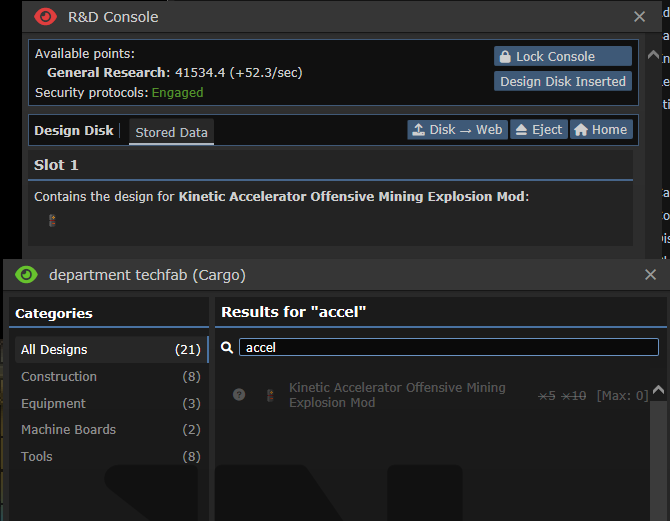
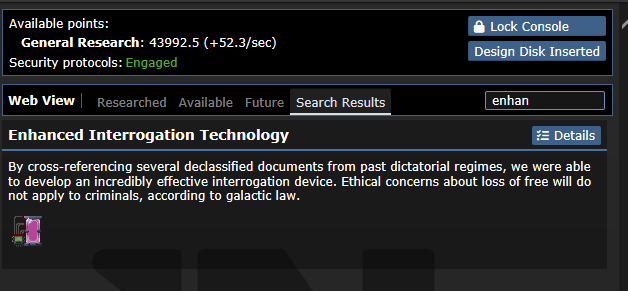
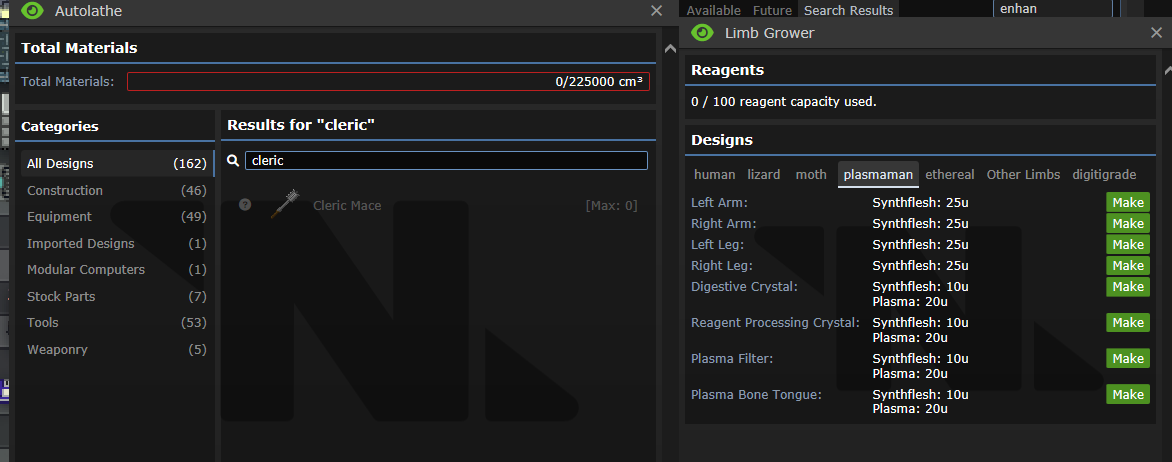
## Why It's Good For The Game
There's no reason why every single Bepis node should be making a whole
new techweb set with experiments to complete, roundstart nodes
researched, being constantly checked if it should gain research points,
have a list of papers to publish, and everything else that techwebs do.
Can you guess which disk does what in this screenshot?
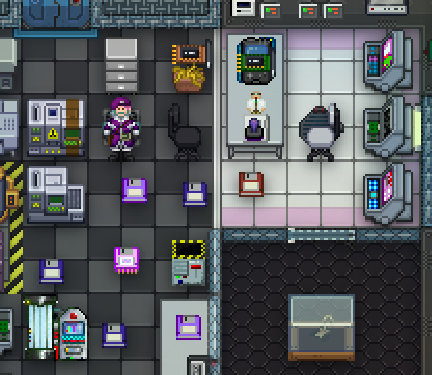
## Changelog
🆑
balance: You can no longer print Technology data disks. You can still
print Tech disks, which hold techweb information on it, just not the one
that holds up to 5 nodes.
balance: ^ Because of this, there's no way to download nodes from an RD
console and upload them to an Autolathe to bypass departmental
restrictions, you have to go through a Techfab/Circuit imprinter for
your needs.
balance: Ones that are found cannot have anything uploaded/deleted off
of them either, you can only upload them to the Web.
code: Every individual Bepis disk no longer create an entire techweb
/🆑
## About The Pull Request

Broken by #74163

Various child procs of `/obj/machinery/proc/open_machine(drop = TRUE,
density_to_set = FALSE)` didn't have the same params as the parent proc.

This leads to the wrong arg being passed to the parent's `drop = TRUE`
param during the parent proc call.

In this case, 0 (FALSE). Leading to machines that never dropped their
contents when opened. This is a problem when a lot of the machines I've
fixed contain players, necessitating admin intervention to free them.
## Why It's Good For The Game

Feex.
## Changelog
🆑
fix: DNA Scanners, Sleepers, Abductor Experimentors, Skill Stations and
Mod Installers now appropriately release their contents when opened,
fixing an issue where they could permanently absorb players and items
until admins intervened.
/🆑
## About The Pull Request
These changes fix how machines are pried open with crowbars. Currently,
most machines can be pried open, but many of them have no method for
being closed again. This means they can be pried once, and then never
again (as their internal logic has them stuck in an "open" state).
Additionally, the densities of these machines is also inconsistent, as
density is tied to the procs for opening/closing machines (open =
non-dense, closed = dense). Thus, these new changes allow desired
densities to be passed to `open_machine()` and `close_machine()`, as
well as `default_pry_open()`, meaning that atypical machine densities
can be maintained (e.g. machines that should remain dense when open, or
non-dense when closed).
I've also added a `close_after_pry` boolean parameter to the
`default_pry_open()` proc, which determines whether to immediately close
a machine after opening it. This is useful for machines that don't
really have a use case for remaining open, often lacking a sprite to
represent this state as well.
* Note: Opening and immediately closing machines with this boolean will
still drop their contents onto the floor, but will now immediately
"close" in their logic, allowing for further prying attempts in the
future.
It's worth noting that this implements default density values for these
procs, which match the existing behavior for machines, so as to
(hopefully) not disrupt existing or expected machine behavior.
Two caveats to these changes currently exist:
1. On machines that immediately close after prying, the prying action
can now be spammed to the chat with repeated clicking. I'm uncertain if
this needs some sort of spam protection or if it's fine as is.
2. I've only been able to manually test this code. I'd love to write
unit tests for it, as it affects a lot of different machines, but don't
know where to begin with DM Unit Testing (or which files would be good
examples to reference in the code base).
* Note: I did manually test each and every machine that calls
`default_pry_open()` and they all seem to be working correctly. (Except
for `obj/machinery/plumbing/sender`, but that doesn't seem to need
prying, as it has no contents to drop, only reagents.)
As always, let me know if any improvements/changes should be made.
This closes#26833.
## Why It's Good For The Game
These changes allow crowbar prying to correctly occur multiple times on
any machine, which is intended behavior. It prevents player confusion
that could occur when a machine couldn't be pried open a second time
during a shift, even though it had previously been pried before, forcing
players to question themselves. (Are they missing something? Did they
perform the action a different way last time? Is the machine actually
still powered on instead of off? Etc.)
These changes also maintain the correct density for machines after
prying, preventing scenarios where a machine might behave differently
once it had been pried open. (An example of this was being able to walk
through a smartfridge after prying it open.) Additionally, players are
no longer required to know/use workarounds (such as machine disassembly)
to retrieve a powered-off machine's contents.
Overall, these changes improve consistency around machines, creating
more scenarios where they behave as players would expect.
## Changelog
🆑
fix: machines can now be pried open more than once.
fix: machines now have the correct density when pried open.
/🆑
---------
Co-authored-by: san7890 <the@san7890.com>
## About The Pull Request

- Tram crossing signals now call process() much less often
- Tram crossing signals don't turn amber/red needlessly
- Tram destination landmarks are more generic to accommodate future
maps, like Birdshot
- Renames to_where and from_where, because those vars didn't always
match tram position to/from

## Why It's Good For The Game

Tram works better, uses less processing

## Changelog

🆑 LT3
code: Tram crossing signal/platform logic improvements
/🆑