Fixes the undefined icon resulting in this:
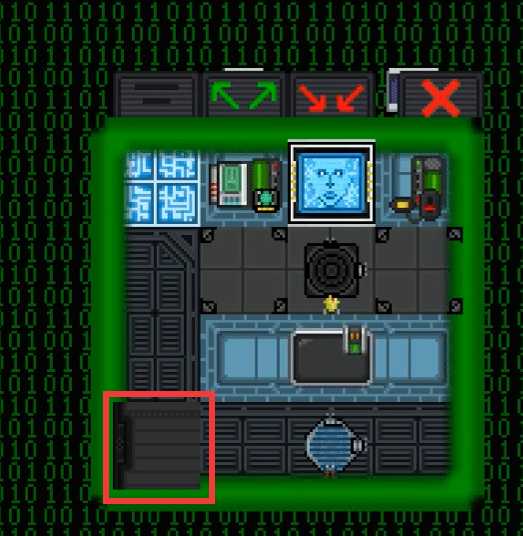
Fixes the two buttons being misaligned with the UI.
Fixes double-clicking inside the AI PiP room teleporting the AI Eye out to the room and completely breaking the view. Do note that double-clicking no longer works at all inside the multi-cam room, as a tradeoff for completely preventing UI breaks.
The body zone selector now indicates which body part you are about to select when hovered over, and the hover inventory indicator basically shows where you are trying to put an item, and then shows an item ghost in red or green, giving visual feedback as to if that item will go in the slot or not.
Gifs of this in action:
 Body Selection parts.

Inventory Icon Overlays!
Credit goes to @ShadowLarkens for original port to Paradise and assistance with port to Virgo. Sending to Polaris ASAP.
- A note on `code/game/objects/items/weapons/storage/internal.dm`, VSCode automatically corrected the line endings, hence the massive filediff. The only practical changes are the addition of `disable_warning = 0`
Adds TGS4 from https://github.com/tgstation/tgstation-server to Virgo, allowing auto-update functionality and testmerges.

How well it runs depends on how @Arokha sets things up. :p
Shuttle tiles, default floors are still "regular".
Lava, sand, water, grass, beach, mining turfs all have sounds playing now for each footstep. <3

Massive credit to @Arokha for helping me figure out the floor system and sitting through getting it put together. <3 <3 <3
-Fixes the issue with mob AI not getting properly disabled under player control.
-Fixes mob eye overlays not respecting the mob's scaling setting.
-Fixes the movement cooldown on logged in ridable mobs.
-Fixes direwolf not getting belly icon when resting.
-Makes the mob icon fullness check account for the mob's own size as well.



